Dec 23, 2025
Web Design
When you begin exploring digital product design, user interface (UI) design is one of the first disciplines you encounter. Yet, despite its visibility, UI design remains widely misunderstood. Many designers equate UI with visual styling alone, while in reality, UI directly shapes how users think, decide, and act within a product.
In 2026, UI design influences usability, accessibility, system trust, and even operational efficiency, especially in enterprise and AI-driven products.
So, what truly defines strong UI design today?
Which principles separate usable interfaces from frustrating ones?
This article breaks down 10 fundamental principles of UI design every designer must understand in 2026, updated to reflect modern platforms, devices, and user expectations.
What Is a UI Design Principle?
UI design principles are foundational rules that shape how digital interfaces are structured, presented, and experienced. They guide designers in making thoughtful decisions, so interfaces feel clear, predictable, and efficient, while aligning user needs with business goals.
Across modern web design topics, these principles serve as a shared framework that connects usability, aesthetics, and performance. Whether applied to enterprise platforms, sustainable web design, or cross-cultural design in web design, strong UI principles help ensure consistency and clarity across diverse user groups.
Strong UI principles:
🔸Improve clarity and overall usability across interfaces
🔸Reduce the likelihood of user errors
🔸Support accessibility and inclusive interaction
🔸Create consistent and reliable interaction patterns
🔸Help users move through complex systems with confidence
For organizations offering monthly professional graphic design services or unlimited web design services, UI design principles act as a stabilizing foundation. They ensure that speed and scale do not compromise quality, usability, or trust.
In essence, principles of UI design form the structural backbone of usable, dependable digital products.
UI Design Principles That Matter in 2026
The way people interact with digital systems has undergone significant changes. Interfaces are accessed across devices, in fragmented moments, often alongside automation and decision-heavy workflows.
The following web design principles reflect how users actually experience interfaces today, and how UI design must respond in 2026.
1️⃣ User-Centric Interface Design
User-centric UI design is about creating interfaces based on how people actually use a product. It places real user behavior at the center of every design decision.
Designers often rely on instinct or personal taste when shaping interfaces. While experience matters, effective UI design asks designers to step back and look closely at how users think, act, and move through a system in everyday situations.
This means paying attention to a few essential aspects:
User goals — what users are trying to achieve at each step
Task flow — the natural order in which actions happen
Context of use — where and how the product is being used
Pain points and constraints — moments of confusion, effort, or delay
In 2026, user-centric design also reflects how digital work really happens:
Most users do not sit down with full attention and unlimited time. They pick up tasks midway, return later, and expect interfaces to make sense instantly. A well-designed UI supports this reality by reducing effort, preserving context, and guiding users without forcing them to learn the system.
When an interface adapts to users, work feels smoother, decisions feel easier, and trust builds naturally.
2️⃣ Consistency Across Interface Patterns
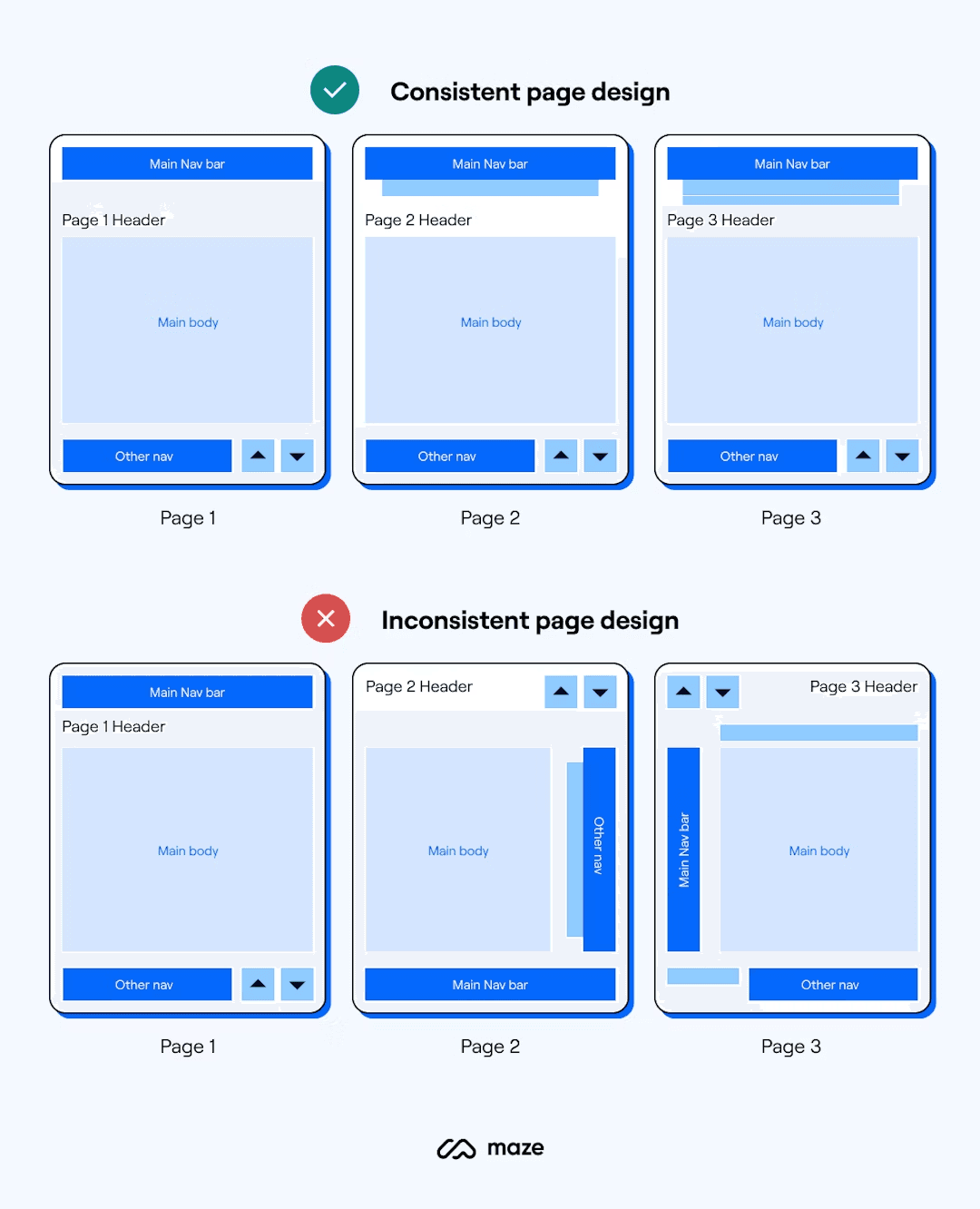
Consistency is one of the most important principles in UI design because users learn through familiarity. When an interface behaves in expected ways, people spend less time figuring things out and more time getting their work done.
Consistent UI design ensures that:
Similar actions behave the same way across the product
Icons, buttons, and labels follow familiar and predictable patterns
Navigation structures remain stable, even as users move between screens
Design systems and established platform guidelines help designers maintain this consistency, especially when products span multiple devices or teams. They provide shared rules that keep interfaces cohesive instead of fragmented.
3️⃣ Accessibility as a Core Requirement
In 2026, accessible UI design is an expected standard and a fundamental measure of design quality.
Good UI design ensures that:
Interfaces work reliably with screen readers
Text remains easy to read through proper contrast and sizing
Controls are fully usable with keyboards and assistive devices
Information is never communicated through color alone
Simple design decisions often make the biggest difference. For instance:
Placing labels outside input fields improves both clarity and screen reader support
Clear focus indicators help users navigate confidently using a keyboard
Adequate spacing between elements reduces accidental clicks and input errors
Accessibility improves the experience for everyone. Interfaces that are easier to read, navigate, and understand benefit users across different abilities, environments, and devices. When accessibility is built into UI design from the start, products become more resilient, inclusive, and easier to use at scale.
4️⃣ Visual Hierarchy That Guides Action
Visual hierarchy defines what users notice first, what they understand next, and what they choose to act on. It is one of the most practical tools UI designers have to reduce confusion and guide decision-making.
A well-structured hierarchy helps users quickly make sense of an interface. It allows them to understand the overall structure, spot primary actions without searching, and scan information without feeling overwhelmed.
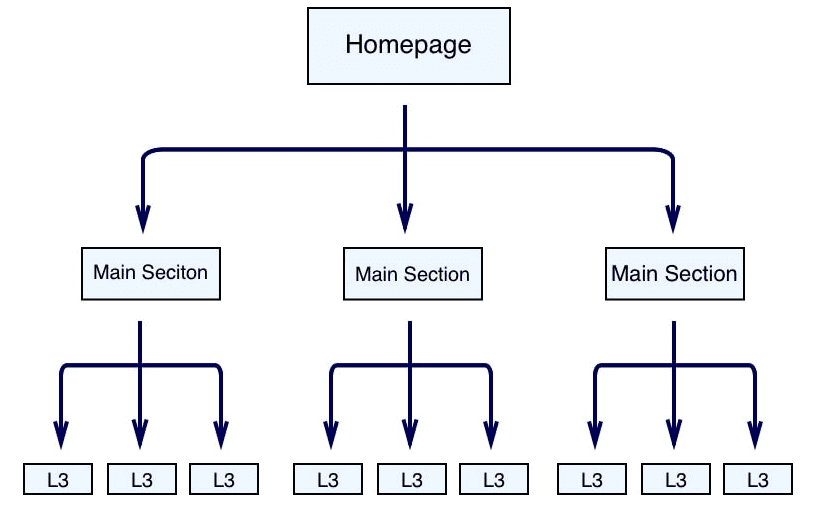
Strong visual hierarchy enables users to:
Understand the layout and purpose of a screen at a glance
Identify what actions matter most in the moment
Move through information efficiently without stopping to interpret
Hierarchy is created through deliberate use of size, spacing, typography weight, color emphasis, and grouping. These elements work together to signal importance and relationships between content.
In 2026, hierarchy is less about visual decoration and more about guiding behavior. Interfaces must clearly communicate what deserves attention now and what can wait. When everything looks equally important, users hesitate. When hierarchy is clear, decisions feel natural and effortless.
5️⃣ Clear User Control and Reversibility
Users feel more confident when they know they are in control of the interface. When people are unsure whether an action can be reversed, they slow down, hesitate, or avoid exploring the product altogether.
Thoughtful UI design gives users the freedom to move forward without fear. It allows them to pause, change direction, or recover from mistakes without stress.
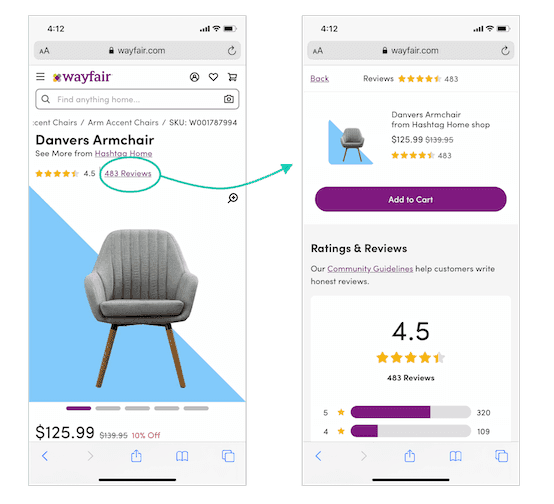
A well-designed interface makes it easy to:
Cancel actions that are no longer needed
Undo mistakes without penalty
Navigate freely without worrying about irreversible outcomes
This control is reflected in simple, practical choices such as:
Undo options for edits and changes
Cancel buttons for tasks that are still in progress
Clear confirmation before actions that cannot be reversed
More experienced users also benefit from efficiency-focused features. Keyboard shortcuts, reusable templates, saved actions, and clear navigation tools help them work faster without sacrificing clarity.
When users feel in control, anxiety drops and trust grows. The interface becomes a supportive tool rather than a source of caution, allowing people to focus on their work instead of worrying about making mistakes.
6️⃣ Context-Aware Interface Design
UI design must account for where, how, and why users interact with a product. An interface that works well in one situation may feel difficult or distracting in another, even for the same user.
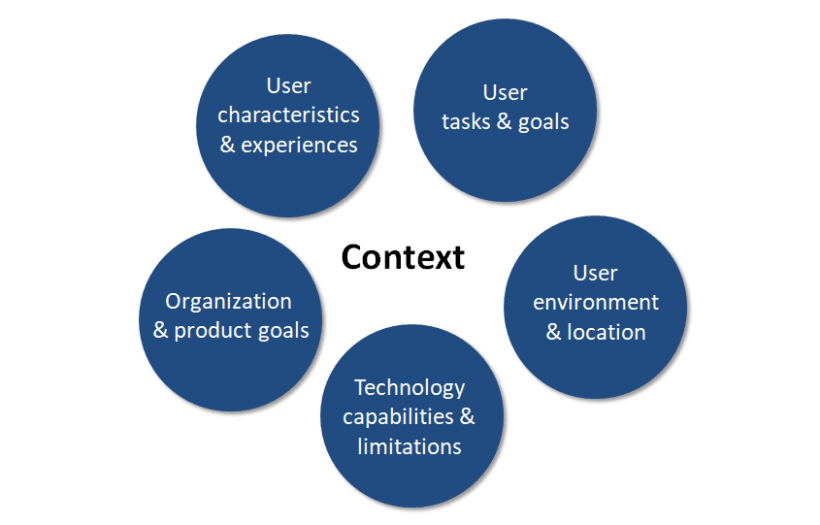
Context is shaped by several factors, including:
The device being used, such as a mobile, desktop, or tablet
Screen size and the available input method
The user’s environment, whether they are working on the move or in a focused setting
Time pressure and emotional state at the moment of interaction
In 2026, responsive web design alone will no longer be enough. Interfaces need to respond to real usage conditions. This means bringing essential actions forward, reducing visual and cognitive load when attention is limited, and avoiding unnecessary complexity when users need to move quickly.
When principles of UI design respect context, it feels more supportive and intuitive. The interface adapts to the situation instead of forcing users to adjust their behavior to the system.
7️⃣ Usability Over Visual Complexity
Usability continues to be one of the strongest measures of effective UI design. No matter how refined an interface looks, it fails if users struggle to complete their tasks.
A usable interface enables users to:
Complete tasks with minimal effort
Clearly understand how the system responds to their actions
Recover from mistakes without frustration
Highly visual interfaces often appear impressive in isolation, but they can break down under real-world conditions when clarity is sacrificed for style. In 2026, the success of a UI is judged less by visual appeal and more by how smoothly users move through everyday workflows.
Usability standards may differ across teams and products, but the underlying goal remains consistent. Good UI design reduces friction, removes unnecessary complexity, and helps users move forward with confidence rather than hesitation.
8️⃣ Purposeful Use of Animations
Animation plays an important role in modern interfaces when used with intention. It can communicate system status, clarify transitions that reinforce user actions.
Well-designed UI animations help users by:
Indicating system status and progress
Explaining transitions between states or screens
Providing clear feedback in response to user actions
Subtle motion makes it easier to understand cause and effect, especially within multi-step or complex workflows. When used carefully, animation reinforces meaning and improves clarity.
Overuse of animation, however, adds unnecessary cognitive load and can slow users down. In 2026, animation is most effective when it explains what is happening and why, rather than serving as visual decoration.
9️⃣ Confirmation for Critical Actions
Confirmation plays an important role when users take actions that carry serious consequences. In these moments, the interface must slow things down just enough to prevent costly mistakes.
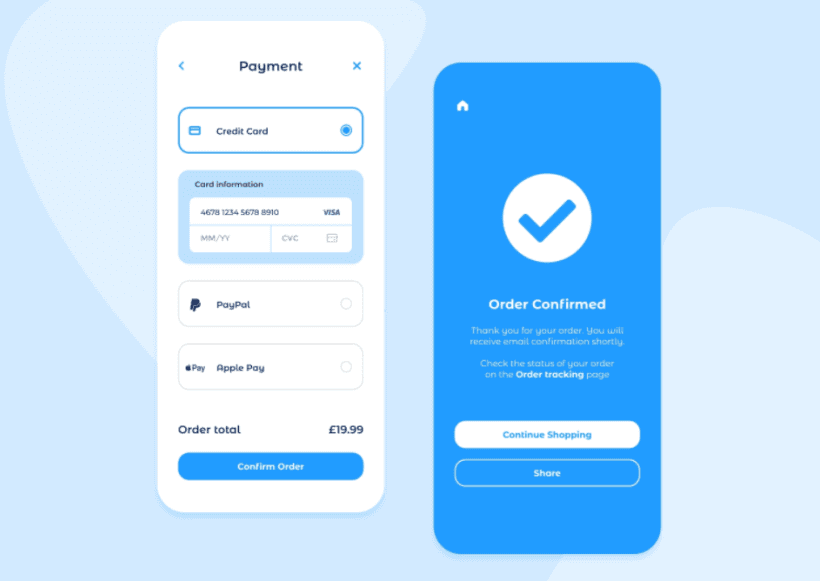
Actions that typically require confirmation include:
Deleting important records
Submitting payments or financial transactions
Approving changes that cannot be reversed
When designed well, confirmation helps users pause and reflect. It prevents accidental actions, gives users a chance to review their decisions, and clearly communicates what will happen next.
At the same time, confirmation must be applied with care. Overusing it can break flow and create frustration. The key is proportionality. Only actions with real risk should require an extra step, ensuring protection without unnecessary interruption.
🔟 Storytelling Through Interface Design
Storytelling in UI design is about clear and purposeful communication. It helps users understand how a system works and what they should do next, without overwhelming them.
Effective UI storytelling allows the interface to:
Guide users naturally through workflows
Make complex information easier to understand through visuals
Support onboarding and learning without heavy instruction
This is achieved through thoughtful techniques such as progressive disclosure, well-timed visual cues, clear microcopy, meaningful data visualization, and contextual help that appears when it is truly needed.
In 2026, strong UI storytelling reduces uncertainty and builds confidence. When interfaces communicate clearly and consistently, users understand systems faster and develop trust through clarity rather than explanation.
UI as the Foundation of Confident Digital Experiences
UI design has evolved into a strategic discipline that shapes how people interact with technology, how confidently they make decisions, and how much trust they place in the systems they use every day. Its influence is subtle but deeply embedded in the way digital experiences unfold.
These principles are especially critical in areas such as cross-cultural design in web design, where interfaces must remain clear and inclusive across diverse audiences, and in sustainable web design, where thoughtful structure reduces unnecessary complexity and long-term maintenance effort.
For organizations offering monthly professional graphic design services or unlimited web design services, strong UI principles ensure that speed and scale do not come at the cost of usability or trust. Consistently applied principles of UI design help teams deliver interfaces that remain reliable and relevant as products grow and user expectations continue to evolve.
The most effective UI does not seek attention. It supports users by keeping interactions clear, predictable, and dependable, allowing people to focus on their work and move forward without hesitation. This steady support is where the true value of UI design is realized.
Design Interfaces That Stand the Test of 2026
At Slate, we help teams design interfaces that are clear, reliable, and built for real-world use. Our work goes beyond visuals; we focus on how UI shapes behavior, reduces friction, and builds trust across complex digital products.
We work with organizations that treat UI as a strategic asset. We help product leaders and design teams translate fundamental UI principles into systems that support complex workflows, scale across platforms, and stand up to real-world usage.
Partner with us to:
✔️ Apply proven UI principles that improve clarity and usability across your product
✔️ Design interfaces that support accessibility, consistency, and real user behavior
✔️ Reduce cognitive load and prevent costly user errors
✔️ Build scalable UI systems that stay relevant as products evolve
Whether you are refining an existing product or building for the future, we help ensure your UI supports growth, efficiency, and user trust.
Explore our UI & UX design expertise → Explore Our Services
Looking for strategic design guidance tailored to your product and industry?
Let’s build it together → Get in Touch
Disclaimer: All visuals used belong to their respective owners.